
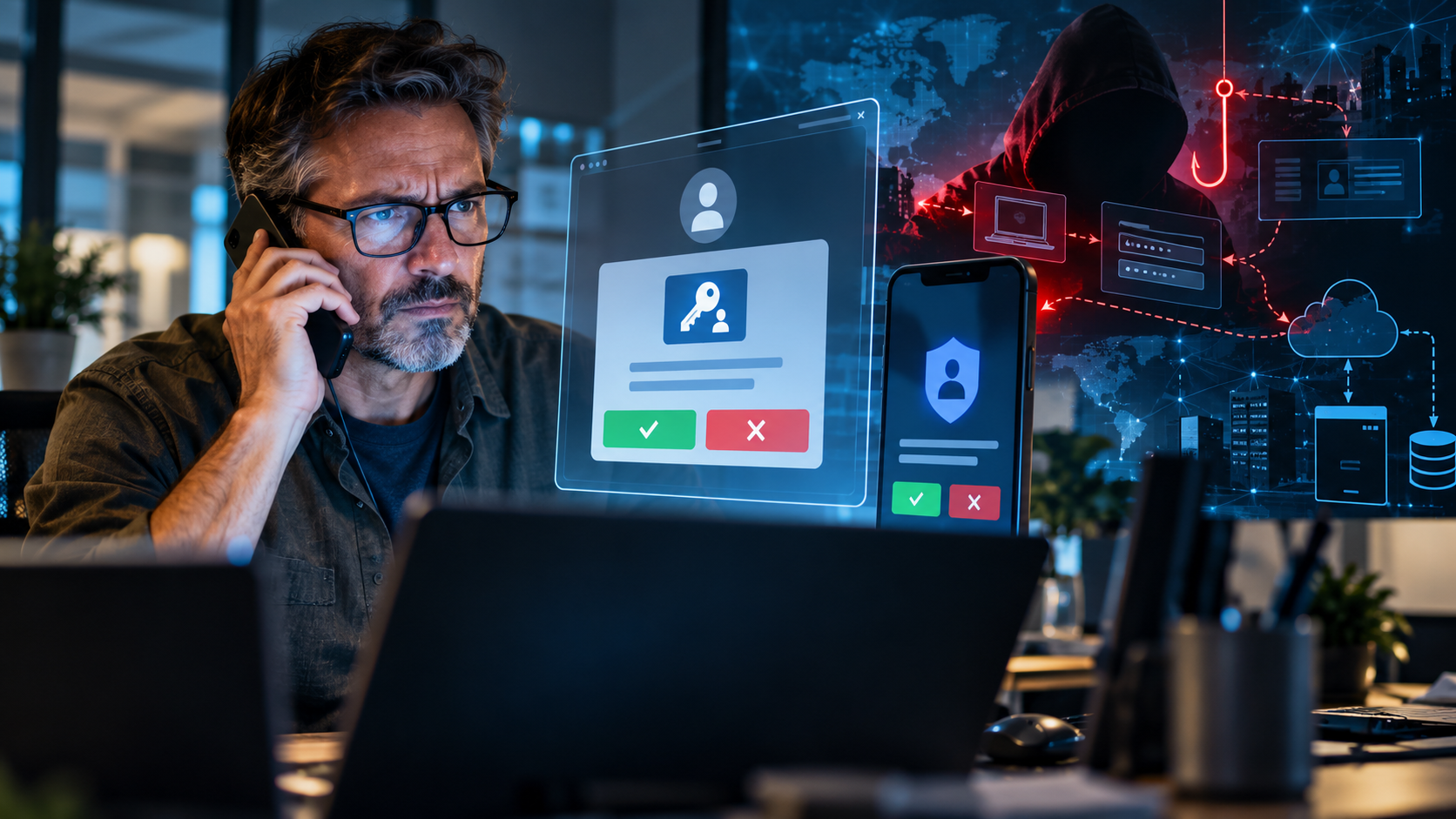
Your MFA May Not Be Enough:
How Modern Phishing Attacks Bypass Authentication
For years, one of the most common pieces of cybersecurity advice has been simple:
Use multifactor authentication.
That advice is still correct.
Multifactor authentication, or MFA, remains one of the most important security controls an organization can deploy. Requiring something beyond a password dramatically reduces the effectiveness of stolen credentials and automated password attacks.
But the threat landscape has changed.
Modern attackers are increasingly finding ways to bypass traditional MFA without technically breaking it at all. Instead, they manipulate users, hijack authenticated sessions, abuse legitimate login workflows, and impersonate trusted IT personnel.
The result is an uncomfortable but important reality:
Having MFA enabled does not automatically mean an account is secure.
Today, organizations need to think beyond simply asking whether MFA is turned on. They need to consider what type of MFA is being used, how authentication is managed, how users are trained, and what happens after authentication succeeds.
The Problem Has Moved Beyond Passwords
Traditional account attacks were relatively straightforward.
An attacker obtained a username and password through phishing, malware, a data breach, or password reuse. They attempted to log in, and if the credentials worked, they were inside.
MFA changed that equation.
Even if attackers obtained the password, they still needed the second authentication factor.
That made stolen passwords far less valuable.
So attackers adapted.
Instead of trying to defeat authentication technology directly, many modern attacks focus on manipulating the authentication process itself.
An attacker may already know an employee’s email address, job title, company, coworkers, or even which technology the organization uses. Information gathered from company websites, LinkedIn profiles, social media, previous breaches, and public records can make a fraudulent request surprisingly convincing.
The attacker then contacts the employee while pretending to be someone the employee expects to trust.
That might be:
- The IT department
- Microsoft support
- A managed service provider
- The company help desk
- A security administrator
- A coworker
- A vendor
The message may sound perfectly routine.
“We’re upgrading the company’s authentication system.”
“Your Microsoft 365 account needs to be re-registered.”
“Your MFA settings are expiring.”
“We’re moving everyone to passkeys.”
“Your account will stop working unless you complete this security update.”
That last part is important.
Attackers often create urgency because urgency reduces skepticism.
And the employee may believe they are following company security procedures when, in reality, they are authorizing an attacker.
The Fake IT Department Is Becoming a Serious Threat
One of the more concerning trends in identity-based attacks is IT-support impersonation.
In September 2026, Microsoft Security Research documented active cloud attacks in which employees received calls or messages from people claiming to represent their organization’s IT help desk. The attackers told users that their passkey, MFA, or single sign-on configuration needed to be updated immediately. Victims were then directed to websites designed to resemble legitimate Microsoft authentication experiences.
The passkey itself was not necessarily the real target.
The passkey story was often simply the pretext.
Behind the scenes, the attacker could guide the victim through an adversary-in-the-middle phishing process or a device-code authentication flow.
The employee believes:
“I’m fixing my account.”
The attacker is thinking:
“You’re authorizing mine.”
That distinction matters enormously.
What Is Adversary-in-the-Middle Phishing?
Traditional phishing usually tries to steal your password.
Adversary-in-the-middle phishing, commonly abbreviated AiTM, goes further.
Instead of presenting a simple fake login form, the attacker’s infrastructure sits between the victim and the legitimate authentication service.
The user may enter legitimate credentials.
They may even complete MFA successfully.
The real service accepts the authentication.
But the attacker may capture the authenticated session token created during that process.
That token can potentially allow the attacker to access the user’s account without repeatedly entering the password or completing the original MFA challenge.
In other words:
The attacker does not necessarily defeat MFA.
The victim successfully completes MFA.
The attacker steals the authenticated session that comes afterward.
Microsoft’s September 2026 investigation documented attacks in which AiTM phishing was used to capture credentials and session tokens as part of broader cloud compromises.
This is why security cannot stop at the login screen.
Device-Code Phishing Creates Another Problem
Another legitimate authentication feature increasingly abused by attackers is device-code authentication.
Device-code authentication exists for good reasons.
Some devices or applications cannot easily display a traditional browser login. Instead, they display a code and instruct the user to visit an authentication page on another device.
The user enters the code and approves the request.
Unfortunately, an attacker can initiate their own authentication request and convince the victim to enter the attacker’s code.
The website may be legitimate.
The authentication page may be legitimate.
The MFA prompt may be legitimate.
But the authentication session belongs to the attacker.
The user has unknowingly authorized someone else’s access.
Microsoft observed this exact technique in recent passkey-themed attacks: victims entered codes on legitimate Microsoft authentication pages, while the resulting access token was issued to an attacker-controlled client.
This is a perfect example of why a legitimate-looking authentication page does not automatically mean the authentication request itself is legitimate.
Push Fatigue: When MFA Becomes an Annoyance
Another well-known technique involves repeatedly sending authentication prompts to a user’s phone.
The employee may see notification after notification:
Approve sign-in?
Approve sign-in?
Approve sign-in?
Eventually, someone may approve the request simply because they assume:
“Maybe Outlook is acting up.”
“Maybe my phone needs to reconnect.”
“Maybe IT changed something.”
Or perhaps they simply want the notifications to stop.
This technique is often called MFA fatigue, push fatigue, or MFA bombing.
It demonstrates another weakness in security systems that depend heavily on human judgment.
If a security system repeatedly trains users to click Approve, attackers will eventually try to exploit that behavior.
Passkeys Are a Major Improvement
Fortunately, authentication technology is improving.
One of the most significant developments is the move toward passkeys.
Passkeys use public-key cryptography instead of relying on a traditional password that can be typed, copied, stolen, or entered into a phishing website.
The private credential remains associated with the user’s device or secure credential provider, while the service stores a corresponding public key.
Because the authentication credential is tied to the legitimate service, passkeys offer much stronger resistance to traditional credential phishing.
Microsoft is moving aggressively in this direction.
Beginning September 1, 2026, Microsoft Entra ID began automatically enabling passkeys for users who were enabled for SMS or voice authentication and prompting those users to register a passkey during MFA sign-in. Microsoft is also moving toward retirement of its own SMS and voice authentication delivery beginning in 2027.
Microsoft’s reasoning is clear: SMS and voice are considered significantly weaker than phishing-resistant methods such as passkeys, Windows Hello for Business, and FIDO2 security keys.
That is a major step forward.
But there is an important caveat.
Passkeys Are Stronger — But People Can Still Be Tricked
A phishing-resistant technology does not automatically create a phishing-resistant organization.
Attackers understand that businesses are transitioning to newer authentication technologies.
That transition itself creates opportunity.
Consider this phone call:
“Hi, this is Mike from IT. We’re upgrading everyone to Microsoft’s new passkey system today. I just sent you the enrollment link. If you don’t complete it before five o’clock, you may lose access to your email.”
To many employees, that sounds completely plausible.
Especially if the organization really is deploying passkeys.
An attacker does not necessarily need to compromise the cryptography behind a passkey.
Instead, they may attempt to trick the employee into:
- Visiting fraudulent enrollment infrastructure
- Authorizing another authentication session
- Registering an unauthorized authentication method
- Installing remote-access software
- Entering a device code
- Approving an unexpected authentication request
- Giving the attacker access to an already authenticated device
Microsoft’s recent research makes this distinction especially important: passkey-themed social engineering was used as a lure even when passkey enrollment itself was not the actual objective.
Technology and security awareness must therefore work together.
The New Security Perimeter Is Identity
For many years, organizations thought about cybersecurity primarily in terms of the network perimeter.
You built a firewall around the organization.
Inside was trusted.
Outside was untrusted.
That model no longer reflects the way most businesses operate.
Employees work remotely.
Applications live in the cloud.
Email lives in Microsoft 365 or another hosted platform.
Files may exist across cloud storage, private-cloud infrastructure, NAS systems, laptops, mobile devices, and business applications.
Users connect from homes, hotels, customer locations, branch offices, and mobile networks.
In this environment, identity becomes part of the security perimeter.
If an attacker compromises a trusted identity, many systems may treat that attacker exactly like the legitimate employee.
That makes authentication security critically important.
What Businesses Should Do Now
There is no single product that solves identity security.
Organizations need layers.
1. Move Toward Phishing-Resistant Authentication
Whenever practical, organizations should move away from authentication methods that can easily be intercepted or socially engineered.
Passkeys, Windows Hello for Business, and FIDO2 security keys provide much stronger resistance to phishing than passwords combined with SMS or voice codes. Microsoft is explicitly steering Entra ID customers in this direction.
That does not mean every organization has to replace everything overnight.
But phishing-resistant authentication should be part of the roadmap.
2. Treat Unexpected Authentication Requests as Security Events
Employees should understand one very simple rule:
If you did not initiate the login, do not approve the authentication request.
An unexpected MFA prompt should not be treated as a nuisance.
It may indicate that someone already has the employee’s password.
Users should know exactly how to report suspicious authentication activity immediately.
3. Establish a Known IT Verification Procedure
Organizations should establish clear procedures for how IT communicates with employees.
For example:
IT personnel should never unexpectedly call an employee and ask them to approve an authentication request.
If an employee receives a suspicious call claiming to be IT, they should disconnect and contact the help desk through the organization’s known telephone number or support system.
Employees should not trust caller ID alone.
A predictable verification process makes social engineering considerably more difficult.
4. Protect Authentication Enrollment
Registering a new MFA method, passkey, security key, or recovery option is a security-sensitive event.
Organizations should carefully control how new authentication methods are added.
Administrators should monitor for unusual authentication-method registrations, especially when they occur shortly after suspicious login activity.
Microsoft’s September 2026 research observed attacker-added authentication methods as part of real cloud compromises.
A stolen password is bad.
A compromised account in which the attacker has registered their own authentication method is considerably worse.
5. Monitor Sign-Ins and Cloud Activity
Security monitoring should extend beyond failed password attempts.
Organizations should pay attention to activity such as:
- Sign-ins from unfamiliar devices
- Sign-ins from unusual locations
- Suspicious device-code authentication
- Newly registered authentication methods
- Unusual application consent
- High-volume file downloads
- Unexpected SharePoint or OneDrive access
- Large mailbox-access activity
- Administrative activity from unfamiliar systems
- Large or unusual Microsoft Graph activity
Microsoft’s recent investigations found that identity compromise was followed in some cases by reconnaissance, Microsoft Graph activity, SharePoint and OneDrive downloads, and email collection.
Identity logs and cloud activity should therefore be analyzed together rather than independently.
6. Limit Administrative Privileges
A compromised standard user account is serious.
A compromised administrator account can be catastrophic.
Administrative accounts should be tightly controlled and should not be used casually for normal web browsing, email, or everyday office work.
Where practical, administrators should maintain separate privileged accounts and protect them with stronger authentication requirements.
Least privilege remains one of the most effective ways to reduce the potential damage caused by a compromised identity.
7. Train Employees for Modern Social Engineering
Security-awareness training needs to evolve.
Employees already know they should be suspicious of obvious scams and poorly written phishing emails.
Modern attackers are considerably more sophisticated.
Training should include realistic scenarios such as:
- Fake IT-support calls
- Fake Teams messages
- MFA enrollment requests
- Passkey migration scams
- Device-code phishing
- QR-code phishing
- Unexpected remote-support requests
- Fake Microsoft security alerts
- Vendor impersonation
- Executive impersonation
The best security-awareness training teaches employees how attackers think, not simply which buttons they should avoid clicking.
8. Do Not Forget the Rest of the Security Stack
Identity security is important, but it is only one layer.
A resilient business environment still requires:
- Properly configured firewalls
- Endpoint protection
- System patching
- Secure remote access
- Network segmentation where appropriate
- Email filtering
- Privileged-access controls
- Reliable backups
- Tested recovery procedures
- Logging and monitoring
- Documented policies and procedures
- Security-awareness training
Cybersecurity works best when multiple controls reinforce one another.
If one layer fails, another layer should still have an opportunity to detect or stop the attack.
Compliance Is Not the Same as Security
This also connects to an important distinction I discussed previously in Cybersecurity Compliance Is Not Cybersecurity: Why Passing a Checklist Doesn’t Mean You’re Secure.
A compliance requirement may state that multifactor authentication must be enabled.
An organization may satisfy that requirement.
But simply checking the MFA Enabled box does not answer questions such as:
- What type of MFA is being used?
- Is it phishing-resistant?
- Can authentication methods be added without sufficient verification?
- Are unusual sign-ins monitored?
- Are users trained to recognize fake IT support?
- Can session tokens be abused?
- Are privileged accounts protected differently?
- Does anyone actually review authentication logs?
Compliance defines a baseline.
Security requires understanding how those controls behave in the real world.
The TommyCTech Takeaway
Multifactor authentication is not obsolete.
Quite the opposite.
Every organization should be using strong multifactor authentication wherever possible.
But cybersecurity has moved beyond the days when simply adding a six-digit code to a password was enough to feel protected.
Attackers increasingly target the authentication process itself.
They impersonate trusted people.
They exploit legitimate login workflows.
They steal authenticated sessions.
They abuse device-code authentication.
And they manipulate users into helping them gain access.
The answer is not to abandon MFA.
The answer is to build stronger identity security around it.
That means adopting phishing-resistant authentication such as passkeys where appropriate, monitoring authentication activity, protecting enrollment processes, limiting privilege, establishing trusted IT communication procedures, and training employees for the social-engineering attacks that are actually occurring today.
Because sometimes the easiest way around a security system is not to hack it.
It is to convince an authorized user to open the door.
About TommyCTech
TommyCTech provides managed IT, cybersecurity, network infrastructure, private-cloud solutions, remote support, and technology consulting for businesses and organizations throughout Bucks County and the Greater Philadelphia region.
Our approach is simple: build technology environments that are secure, reliable, maintainable, and appropriate for the way your organization actually works.
Smart Tech. Sharp Delivery. Slightly Caffeinated.